AOE2: Infinite Resources
Our goal here is to create a trainer which sets resources to 9999 every time we hit F1! (using AOE HD build 3062235 on steam)
Our first an most obvious step finding gold via cheat engine (CE):
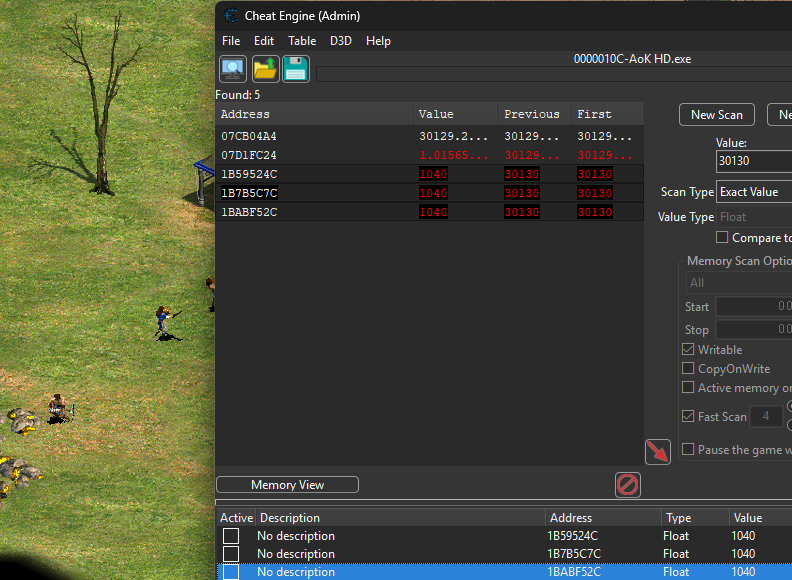
3 values all the same, set the first one, they all change. The other two change back to whatever the first address’s value is.
This is likely due to the first value being the main value, the other two being that same value stored elsewhere for reasons
lets save the first value, and do a pointer scan to get the static address.
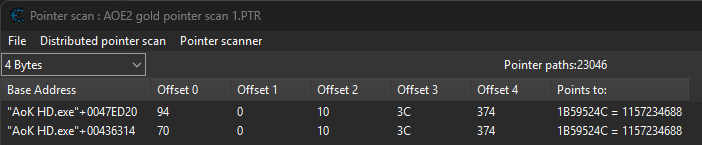
our pointer scan resulted in 23,000 potential paths! Thats too many for us to process. So we need to restart our game, find the gold address again, and re-do our pointer scan on the new gold address.
redoing pointer scan, this will prompt you to enter your new memory address for gold
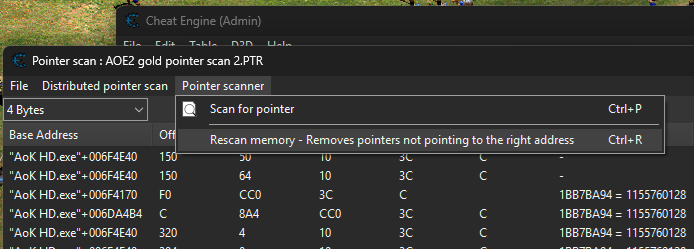
and repeat once more, the 2nd scan had reduced potentail paths down to 188, from 23,000!
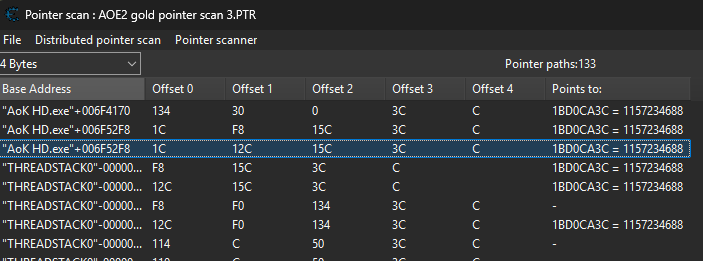
at this point there is a manageable amount of potential base addresses, items with THREADSTACK can be ignored.
Add all of the “AoK HD.exe”+… base addresses to the main CE window. Restart the game and ensure they remain….
Here we have identified a ‘static’ pointer from our list of 20. Usually those addresses with fewer jumps are more likely to persist.
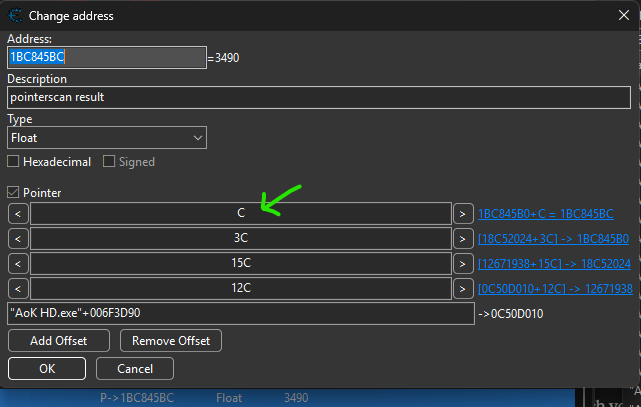
Now we have our gold pointer chain which is:
AoK HD.exe + 0x6F3D90 + 0x12C + 0x15C + 0x3C + 0xC → gold (float)
we should begin searching to see if that gold is within a resources struct, or within a player struct! A good first guess at where the beginning of this struct would be to simply look at what exists at what is in memory around this location, or better yet, what is in memory before the final C jump
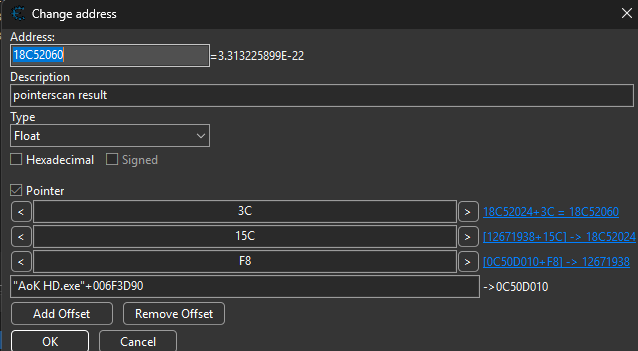
Now open dissect data/structures tool and lets take a look at what is at the address above!
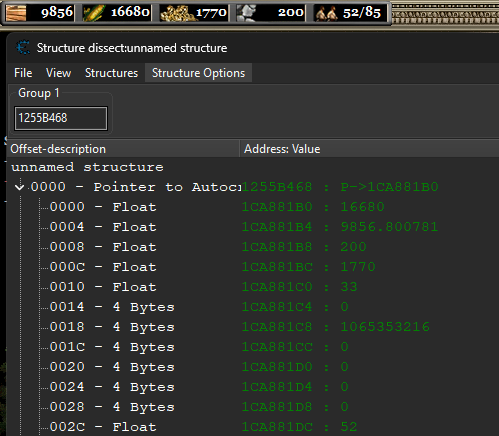
And there we have it.. Some of those numbers align!
Have a go at messing with some of them, see what happens!
Now Cheat engine does a alright job at showing us these values, but we have one more tool up our sleeve to use, alongside cheat engine which does this particular task even better. Its called ReClass.net!
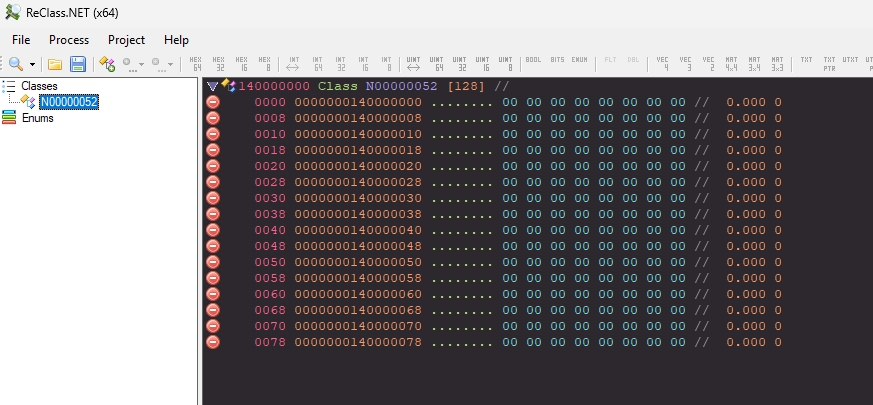
ReClass.NET lets you visualise memory as a struct in real time, showing all fields at once with their offsets and values updating live as the game runs, making it far faster to map out an entire struct than scanning for each value individually in Cheat Engine. It also lets you assign types, name fields, follow pointers visually, and export the result as C++ struct code ready to use in your trainer.
Open it and attach it to AOE (remember to use the 32bit version of ReClass.net!) and add
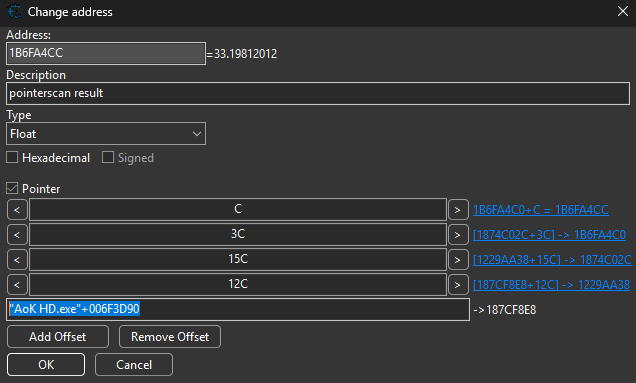 From your screenshot the chain is:
AoK HD.exe + 0x6F3D90 → 0x187CF8E8
+ 0x12C               → 0x1229AA38
+ 0x15C               → 0x1874C02C
+ 0x3C                → 0x1B6FA4C0
+ 0xC                 → 0x1B6FA4CC (gold = 33.198)
In ReClass.NET:
- Type
<AoK HD.exe>+6F3D90into the address bar, change item 0000 to a pointer — you’re now at0x187CF8E8 - Scroll to offset
+0x12C, right click → Change Type → Pointer — follow it to0x1229AA38 - At that address scroll to offset
+0x15C, change to Pointer — follow to0x1874C02C - Scroll to
+0x3C, change to Pointer — follow to0x1B6FA4C0 - Scroll to
+0xC, change to Float — you should see33.198which is your gold value
 -> shows
 0x187CF8E8
Once we’ve finally traversed the pointer chain we arrive at a familiar looking structure:
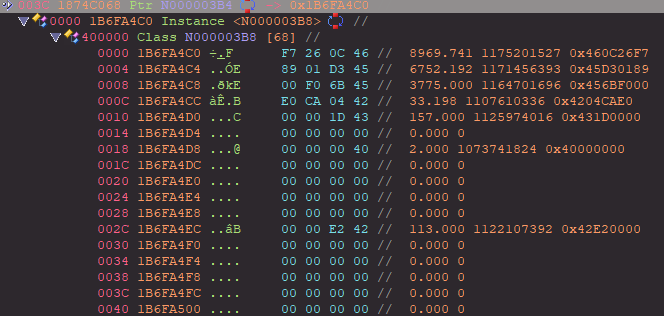
now to classify these, make sure to start at the top (very important), the orange text to the right is the values represented in 3 different format, float, int and hex
riught click these rows of data and classify them as floats, then we can give them names too!
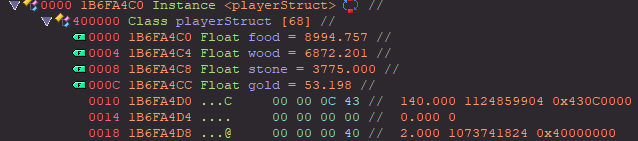
Yes we could do this with cheat engine, but as the structures increase in complexity, a tool like ReClass.net is much better suited for those. The way it displays each value in 3 different ways is extremely helpful, CE does not do this. Now we can export this data via generate c++ code, to give us a nice little layout of our player struct, here’s the relevant part of that export.
// Created with ReClass.NET 1.2 by KN4CK3R

class playerStruct
{
public:
	float food; //0x0000
	float wood; //0x0004
	float stone; //0x0008
	float gold; //0x000C
}; //Size: 0x0044
static_assert(sizeof(playerStruct) == 0x44);
Using this alongside our pointer chain
AoK HD.exe + 0x6F3D90 → 0x187CF8E8
+ 0x12C               → 0x1229AA38
+ 0x15C               → 0x1874C02C
+ 0x3C                → 0x1B6FA4C0
+ 0xC                 → 0x1B6FA4CC (gold = 33.198)
we can construct the required jumps to reach our player struct, then update all of the resource accordingly.
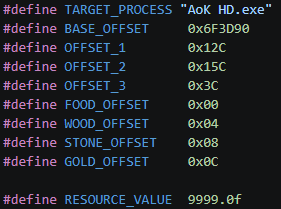
Please refer to the associated repository item for the code for this one, it builds upon previous lessons and going through it again would mostly be repeating myself, but I will briefly explain the few changes we’ve made:
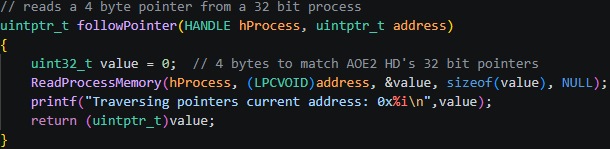
Firstly we’ve added followPointer, which reads a 4-byte value from a given address and returns it as a new address to follow, essentially asking “what address is stored here?” and jumping to it. This is called a dereference. The pointer chain calls this repeatedly, adding a small offset at each step to navigate to the right field before following the next pointer. The final dereference has no offset because by that point the chain has landed at the base of the resource struct.
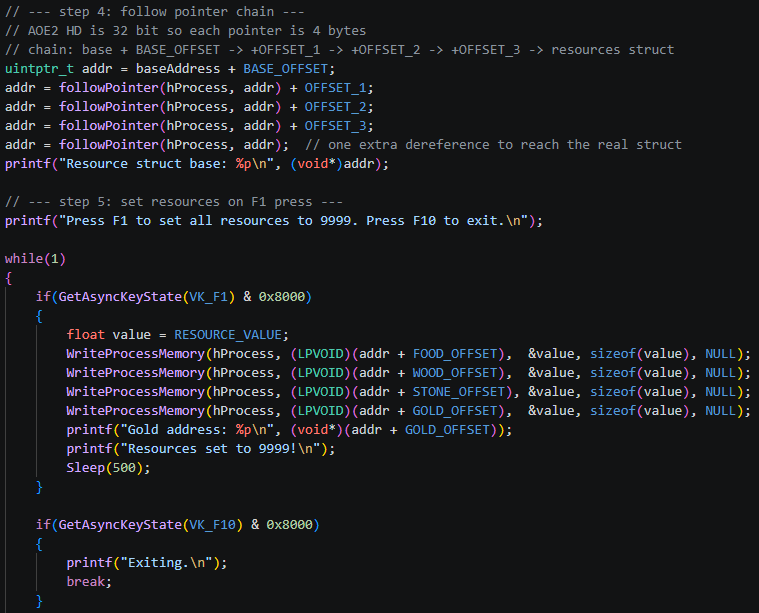
Then we’ve also added a chunk of logic to handle the user input, press F1 to set resources. then we follow the address and update the values, Just like before.
compile for 32 bit to match the game with: $ gcc AOE_game_trainer_inf_resources.c -o AOE_game_trainer_inf_resources.exe -lpsapi (using program mingw32.exe)
Additional fun: Right after our resources we can see some values that correlate to the population, you can also add some additional logic to our code to reset our population count to 0!