RE 8: Code Cave
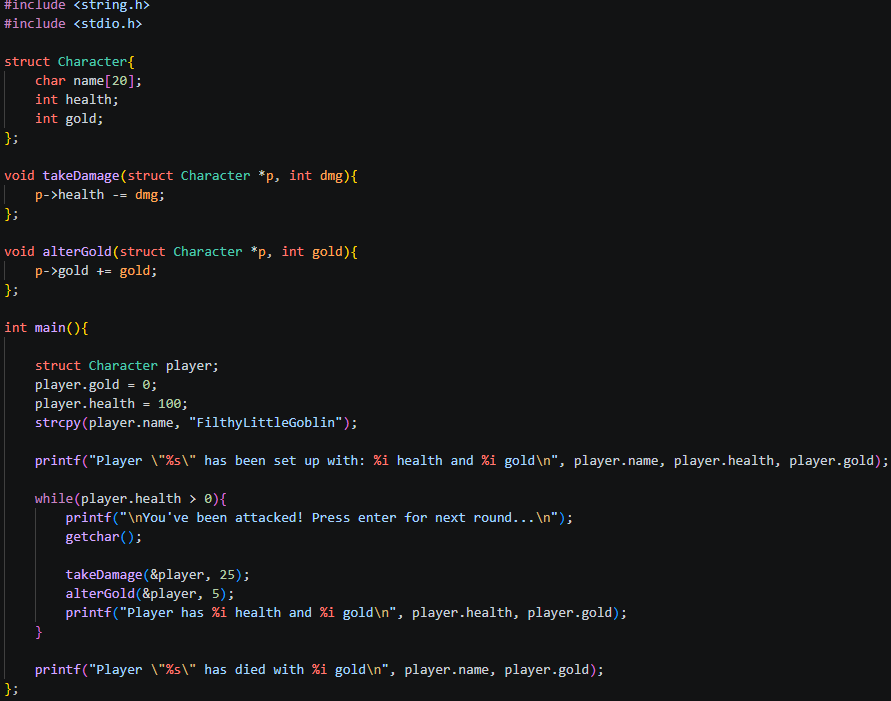
Code:
IDA main:
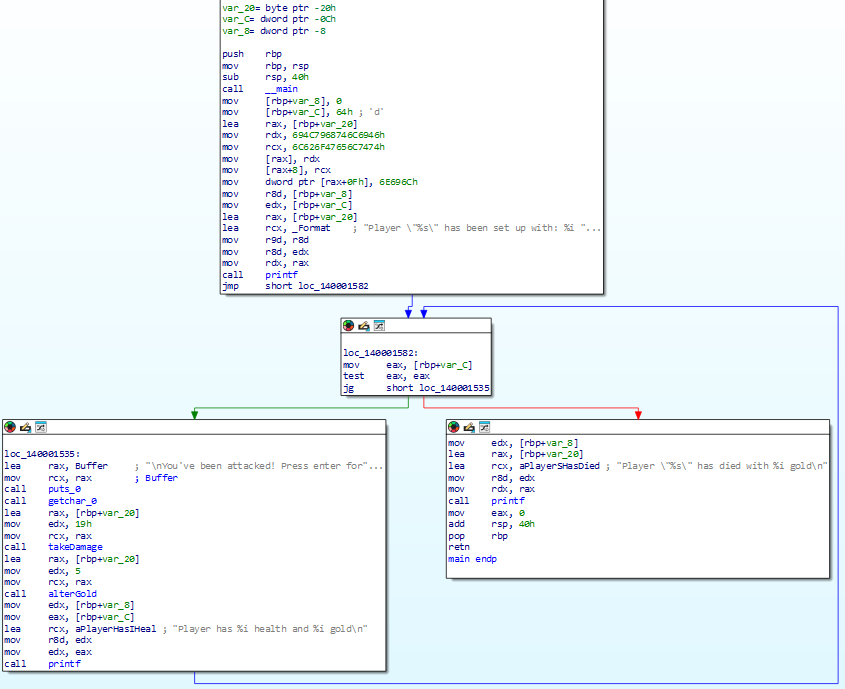 To quickly go through our logic,
we set up our character variables, name, gold, health, put the variables into the required registers for printf, print the output, then jump to loc_140001582 to begin our game loop. which includes the takeDamage function we want to alter. Our goal is to stop the player from dying.
IDA takeDamage function:
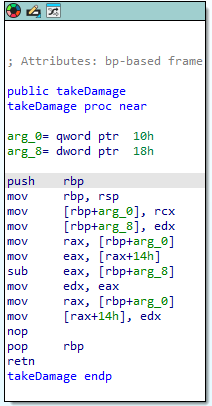
If we wanted to stop the player from dying after 4 turns (-25 hp each turn), we could NOP out the subtraction logic sub eax, [rbp+arg_8], but what would happen if our health value determined some other game logic, such as giving more loot depending on how much health the player lost, or if the game does some anti-cheat routine which checks to make sure the health value isn’t static and is changing.
So lets create our code cave to account for these example circumstances. We want our health to not be NOP’d, we want to still lose health, but we do not want to die.
This requires a slightly more complex rout, in which we want to set up something called a code cave. A code cave is essentially a area of memory which we jump to, execute some assembly instructions then jump back to our original process, as if nothing happened.
To achieve the desired outcome which is stated previously, we will set up a code cave which still completes the damage logic (-25hp) per round, but if the player has less than 50 health, then we want to restore it back to 100.
Now to create this code cave we will use x64dbg,
Remember to do our normal routine of setting up the kernell.32 ExitProcess breakpoint, then search for strings to find the start of our process, setting up another breakpoint.
From there compare IDA against x64dbg, looking for calls to functions, investigate and eventually you will find the TakeDamage function, it will look like this:

To get to this takeDamage function, double click on the yellow highlighted item after the cyan ‘call’
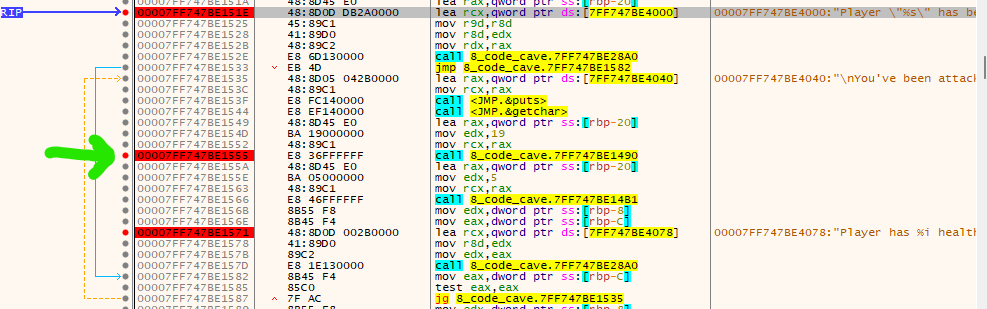
now, to set up our code cave we first must find an area of free memory where we can place our new instuctions, to find this first go to:
memory map tab, then take note of the address/size of .text (.text is the section of the program where all of our executable code goes, so you can use this rout to find the start of our program in the future, instead of using the strings method we did previously)
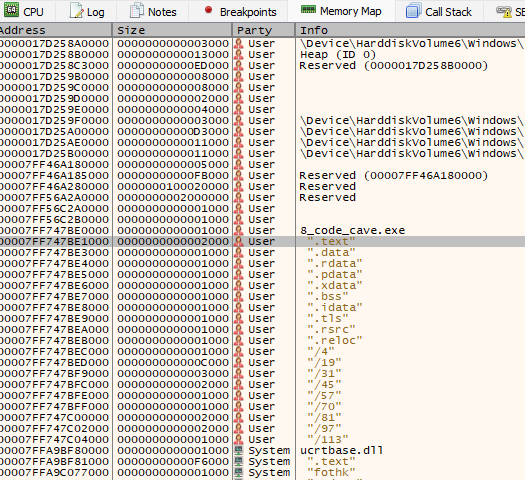
Lets take note of the address and size of this .text section of our program: Address=00007FF747BE1000 Size=0000000000002000 Party=User Page Information=".text"
Size = 0x2000 (hex) = 8192 bytes of space in the .text section
scrolling through our .text section, we want to find a space with a bunch of NOPs where we can add our code cave, here I’ve found some, the more NOPs in a row the better.
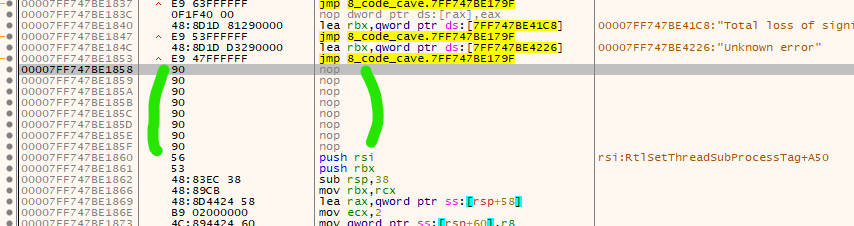
Next, lets create our logic for our code cave.
What we want to achieve is: Check if health is above 50 if health is above 50: do the normal subtraction logic else: restore health back to 100 jump back
Looking at our takeDamage function again:
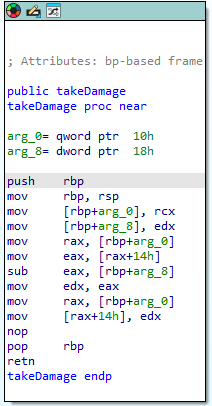 we can see we subtract rbp+arg_8 from eax
combining this info with the register prior to the takeDamage function
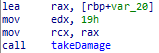
we can see that
rcx contains the players pointer to the player structs health
edx contains 19h/0x19 = 25 - the damage to be negated from player health
side note: we can see that rax contains the initial pointer to the player struct (as we pass in the player struct pointer into the function, see c code), then we reference player health specifically via [rax+14h] to get the address of health specifically.
So the first step is we should jump to where our code cave will exist, at the start of a large section of NOPs within .text section.
After searching, I couldn’t find enough NOPs to write my code cave, so instead I’ll navigate to .data section, ensuring that I can actually execute code from it via going to the memory map tap, -> right click .data -> set to full access.
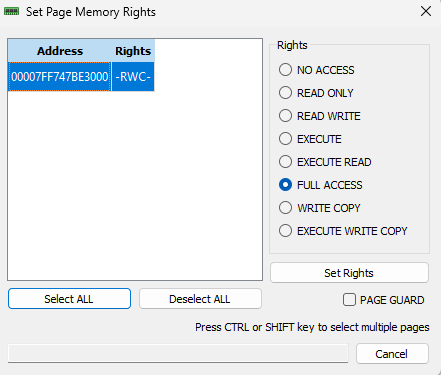 make sure to set rights at this stage with full access selected. As the data section doesn’t have execution rights by default.
Important side note:
In large games, the compiler generates lots of alignment padding (NOP bytes) between the many functions in .text, giving you natural cave space to work with. Your program is small with only a handful of functions, so there simply isn’t enough padding generated to fit your cave code. The .data section is another option, however it is not marked as executable by default when compiled into an .exe, meaning your cave code won’t run outside of x64dbg. There are ways to make more NOPs in .text but I will not be going into that.
So, lets first replace our takeDamage sub with a jmp to 0x7FF747BE30A5 to do this, right click the sub in takeDamange, and replace it with: jmp 0x7FF747BE30A5
As I am doing this, I notice that my jmp 0x7FF747BE30A5 actually requires more space than what the current sub address uses, and ends up eating the next instruction too!
Before replacing sub:
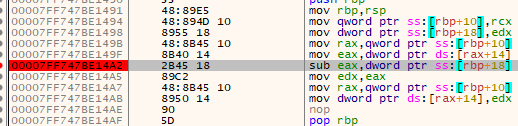
after replacing sub:

both
sub eax, [rbp+arg_8]
mov edx, eax
were eaten up, so we will have to include both of these instructions in our code cave. (also note the memory addresses of my code cave, and the eaten up mov are very similar, coincidence I promise!)
So the next step is, lets create our code cave at 0x7FF747BE30A5:
Here is our pseudo assembly code:
;code cave
cmp eax, 50  ;is health less than 50
jg do_normal_subtraction ;if it isnt less than 50 jmp to oiginal subtraction logic
mov eax, 100 ;else restore health to 100
mov edx, eax ;replace eaten up next instruction
jmp <return address> ;return to the next instrunction after sub in takeDamage

do_normal_subtraction:
sub eax,dword ptr ss:[rbp+18] ;do our normal logic, which we replaced with a jmp
mov edx, eax ;replace eaten up next instruction
jmp <return address> ;return to the next instrunction after sub in takeDamage
Now we come across another issue we need to resolve, we don’t actually know what our jg addresse will be, so this will require two passes to figure out, the first pass we will assemble the following, with some placeholders:
cmp eax, 50
jg 0x7FF747BE30A1    ; placeholder for the sub eax
mov eax, 100
mov edx, eax
jmp 0x7FF747BE14A7   ;return address to our next line of code after sub
sub eax, dword ptr ss:[rbp+18h]
mov edx, eax
jmp 0x7FF747BE14A7   ;return address to our next line of code after sub
and the second pass, we update the jg to go to the correct memory locations, which are the memory locations of the sub instruction we just made!
And here we have it:

now we’ve completed the alternative logic, we can test it in x64dbg, running through the logic, making sure to select ‘step into’ when we reach our code cave, also add some break points within your code cave before you do this.
And our result:
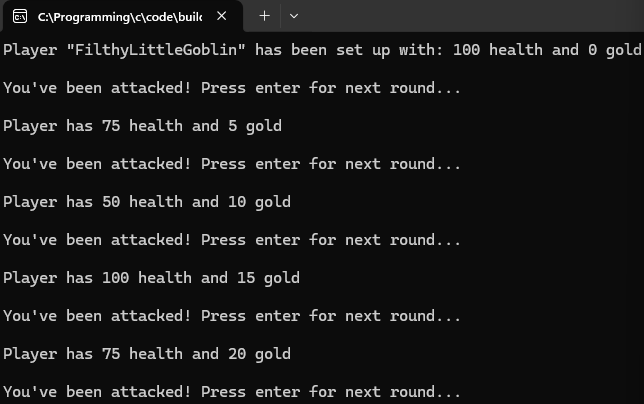
Success!
now, if we had written our code in the .text section we could patch our file like this:
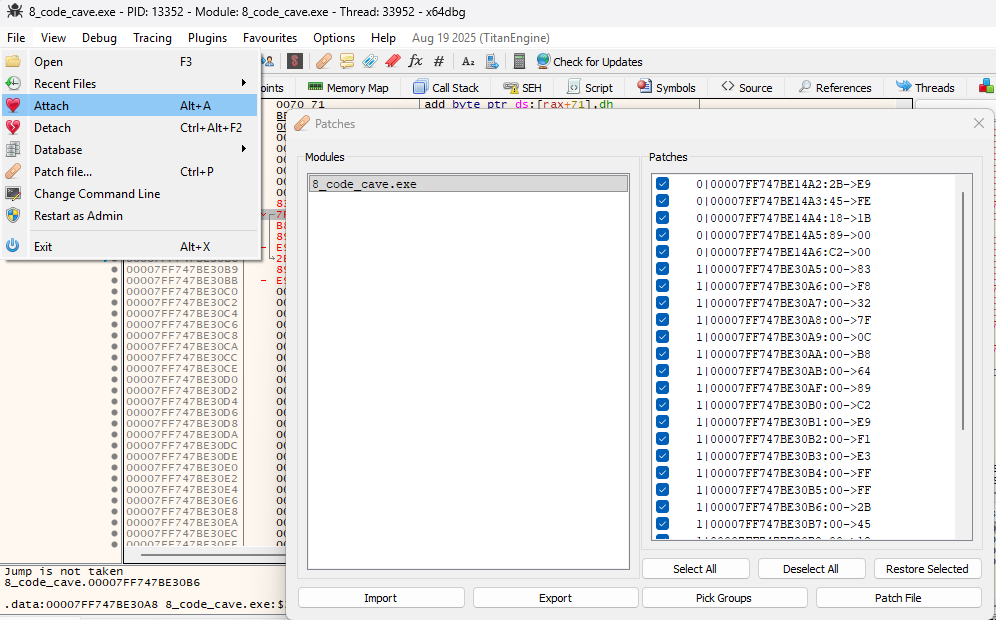 This would make our changes permanent!