RE 4: Password Cracking
Our code:
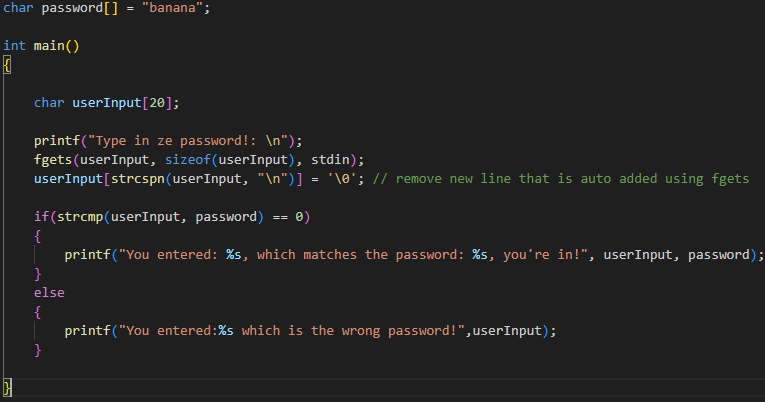
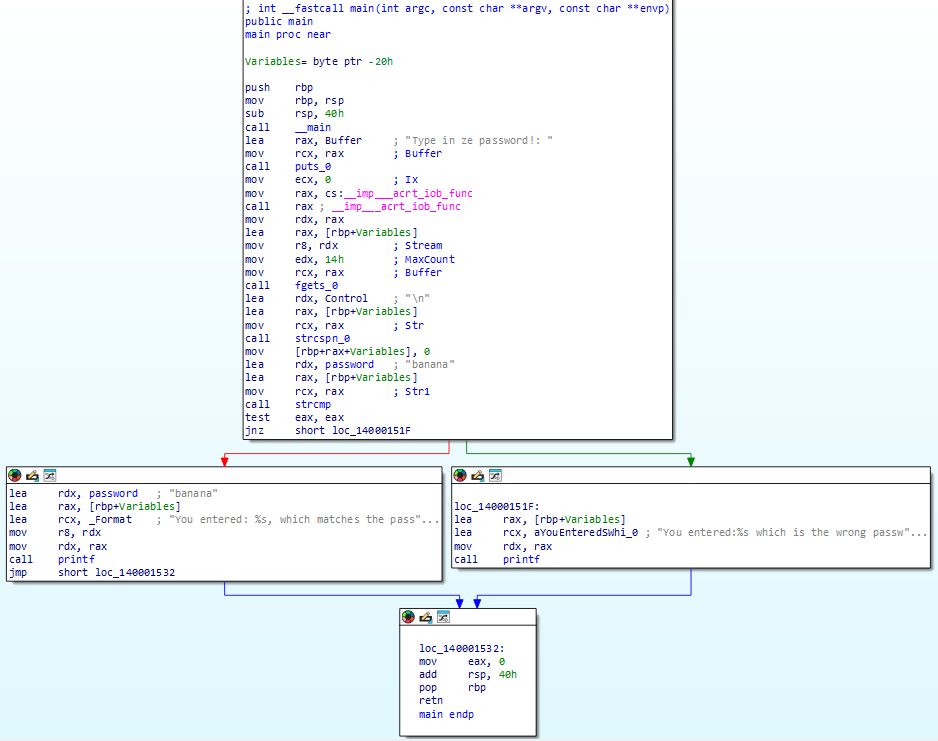
Lets first look at the program in Ida Free to see what it does:
As our code is becoming more complex, we have more ’things’ stored in .rdata (read only data section, contains all of our constant data that doesn’t change at runtime) section:
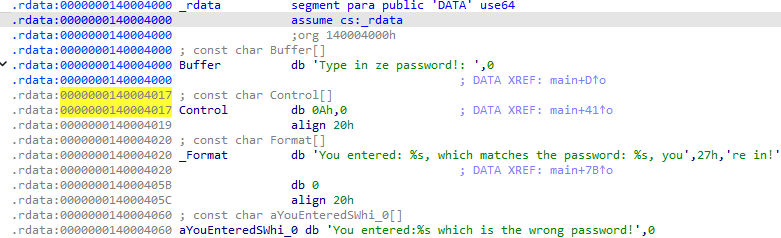
Here we can see all of our string literals stored in .rdata, along with the auto-generated names IDA has assigned them.
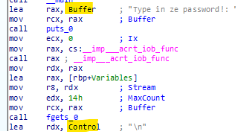 These names are derived from the parameter names of the CRT (C Runtime Library) functions they are passed to as arguments for example, fgets declares its first parameter as buffer, so IDA names that string literal Buffer.
Buffer - 'Enter password prompt'    - from fgets(buffer)
Control - '0Ah is hex for \n'       - from strcspn(str, control)
_Format - 'You entered: ...'        - from printf(format)
aYouEnter...                      - from printf, but format was already taken?
This makes it more confusing to read initially, but once you realize you can hover over the call to fgets_0 for example, and see that the comments align with the function:
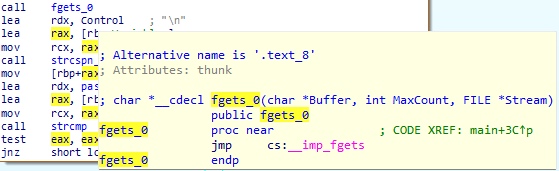 These functions are call’s due to CRT functions are pre-compiled in assembly, and are called as needed. these items come from <.h> includes.
So, with that in mind, lets read what this actually does!
First step is to print the output for the user to read:
 this is achieved via puts_0, which loads the string we want to print into rcx!
Puts is just like a function in programming language, we call it and pass in one variable which is located at a pre defined register. In this case rcx stores the pointer (address) to the string of what we want to print.
this is achieved via puts_0, which loads the string we want to print into rcx!
Puts is just like a function in programming language, we call it and pass in one variable which is located at a pre defined register. In this case rcx stores the pointer (address) to the string of what we want to print.
Puts i/o:
lea rax, Buffer ; load address of "Type in ze password!: "
mov rcx, rax ; 1st arg of puts (in rcx) = Buffer (the string to print)
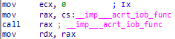 then, set up the keyboard stream for the user input, in a two step process:
mov  ecx, 0                        ; 1st arg = 0 (requesting stdin, keyboard in)
mov  rax, cs:__imp___acrt_iob_func ; load function address from import table
call rax                           ; call it, returns stdin pointer in rax
cs:imp___acrt_iob_func takes the argument 0 (stored in ecx), then stores the address to the function in rax, then we call the function.
Once the function is called, then the output has overwritten rax with the pointer to stdin (keyboard input stream)
mov  rdx, rax                      ; save stdin pointer into rdx (ready for fgets)
lea  rax, [rbp+Variables]          ; load userInput address (ready for fgets)
then, get the user input:
fgets i/o:
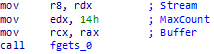
mov  r8, rdx         ; 3rd arg = Stream (stdin pointer, user input via keyboard,)
mov  edx, 14h        ; 2nd arg = MaxCount (0x14 = 20, your buffer size)
mov  rcx, rax        ; 1st arg = Buffer (your userInput pointer, where to write)
call fgets_0
now our user input is saved into the userInput memory location (variable)!
We then do strcmp on the remaining user input string and our password:
strcmp i/o:
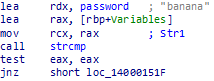
lea  rax, [rbp+Variables]  ; load address of userInput
mov  rcx, rax              ; 1st arg = Str1 (userInput, what the user typed)
mov  rdx, password         ; 2nd arg = Str2 ("banana", the correct password)
call strcmp                ; compares strings, returning 0 to eax if all match
test eax, eax              ; check if return value is 0
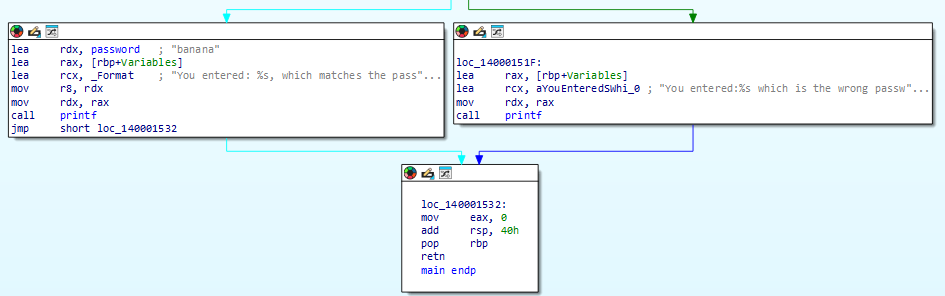
jnz  short loc_14000151F   ; jump to wrong password branch if not 0
Now we know if the user input ‘matched’ the password, or not, and then print the result either way.
Complete!
Now we understand what the program does, we can bend and break it to do what we want, in this case, we want to trick the program into thinking we entered the correct password when we didnt! For this we will use x64dbg.
pre-setup:
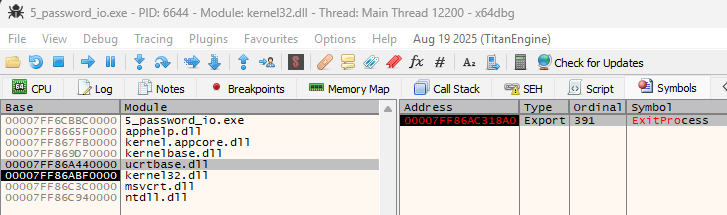
This .exe will exit instantly once complete, to stop this:
in x64dbg: click symbols tab, find kernel32, click it, find ExitProcess, then add breakpoint to it
First method: In our code we compare the userInput against the password, banana! There are so many ways we can get around this very basic password protection.
0: Search for the password via Strings! 1: Change the value of the comparison to match whatever we type in as the password 2: Change the flags after comparison to say it was a match, no matter what we type in 3: Make it always true by totally skipping parts of the code 4: overkill, create a code cave to print out the password before we even type it in!
0:
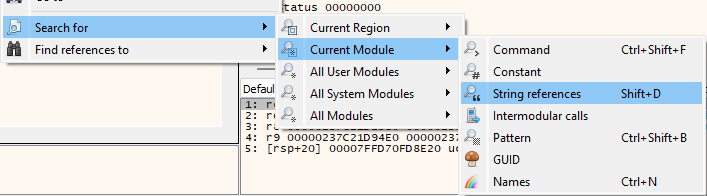 Right click on the main window and search for string references!
 As we already know what the password is, so it is easy to identify. If you did not know what the password was already, this would be a little more difficult. But by looking at the location of the password alongside the prompt, that gives us a hint of which string is the password!
1:
Another simple way to get past the password check is to alter the logic which jumps to the successful password code block (red arrow),

First we do a strcmp, which if the password is incorrect will return -1, 0 if the password entered is correct. Here we could do multiple things to get past this either by altering the instructions and running the program, or we can add a breakpoint and alter the flags used for compairson for the jump.
Breakpoint methods: a) change the ZF used in JNZ to 1 b) modify eax to be 0 before the test case is executed
Altering code methods: a) we can alter the instruction and change ‘strcmp’ to ‘mov eax, 0’, so the test below it is always successful b) change the test instruction to 0,0, therefore setting the zero flag to 1. c) simply nop the jump, as the code will only go to the fail case (green arrow)
Lets start by doing some breakpoint methods:
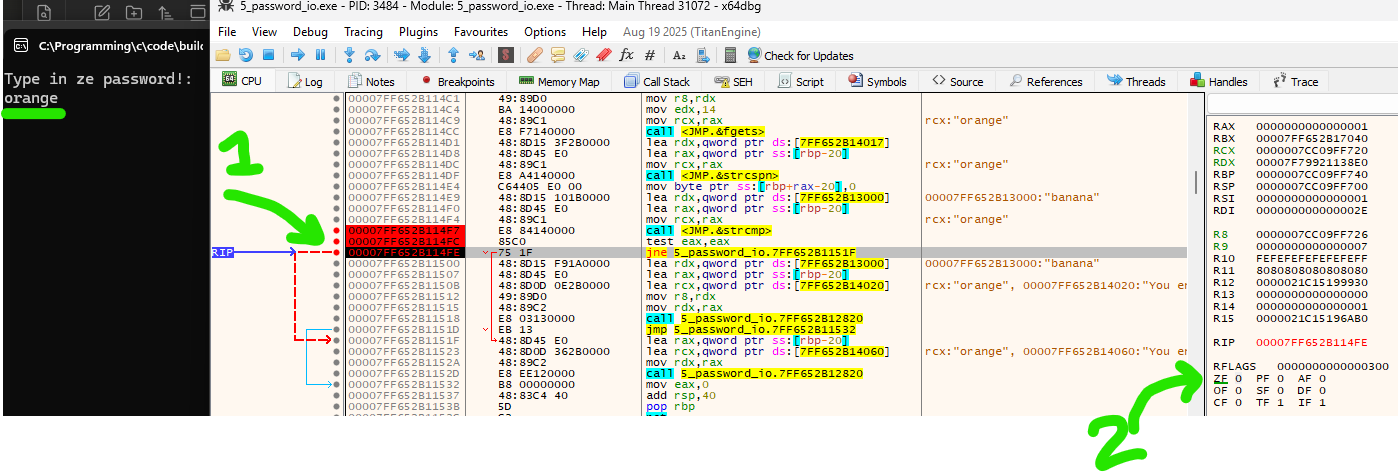 Breakpoint work like this, the ‘break’ or pause happens on the line that is about to be executed. at green label “1”, you can see the ’test eax, eax’ has just executed. at green label “2” we can see the zero flag has been set to 0! (indicating that eax != eax, and hence the password is wrong).
Here we will add a breakpoint right after the test has executed and change the zero flag from 0, to 1! which gives us some very odd output!

Even though we typed in the wrong password, we got into the program! all by flipping one single ZF bit.
Ok, lets try one more breakpoint method, this time we will mess with:
test eax, eax which is purely just asking “is eax zero or not?”
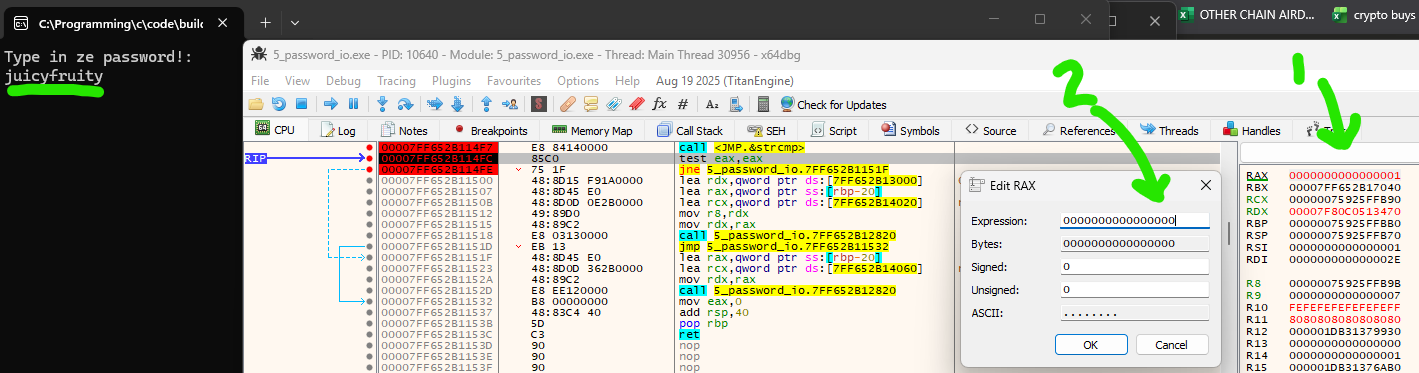
Here we intercept right before the ’test eax, eax’, as you can see at label “1”, rax = 1. indicating that the passwords are not equivalent after the strcmp completed. If we edit rax at label “2” to be zero, then the following instruction will set the zero flag as 1, saying that the password was a match! Success!
Now, lets move onto altering the code as a method to ‘break’ this very secure password checking system.
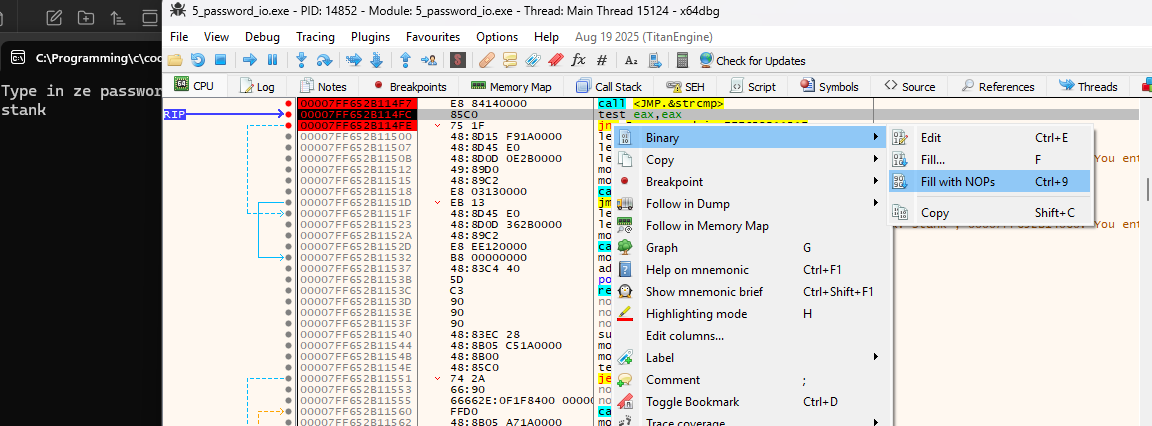 This one is easy, just right click on the jnz and fill with nops! As we know the default flow of the code will go through to the success pathway (as it just so happens to be compiled this way). To reiterate, the jump is only taken if the password is incorrect so by noping the jump, we just continue on to the success pathway!
Using x64dbg we can also ‘patch’ our exe, which will permanently replace the jnz with nops. so no matter what you type in, you will always have a ‘correct’ password!
